Free WordPress block theme
A fast, readable block theme for writers and publishers. Warqa gives long-form articles a comfortable measure, a clear typographic hierarchy, and reserved, layout-stable space for a sidebar and in-content placements, so pages stay steady while they load.
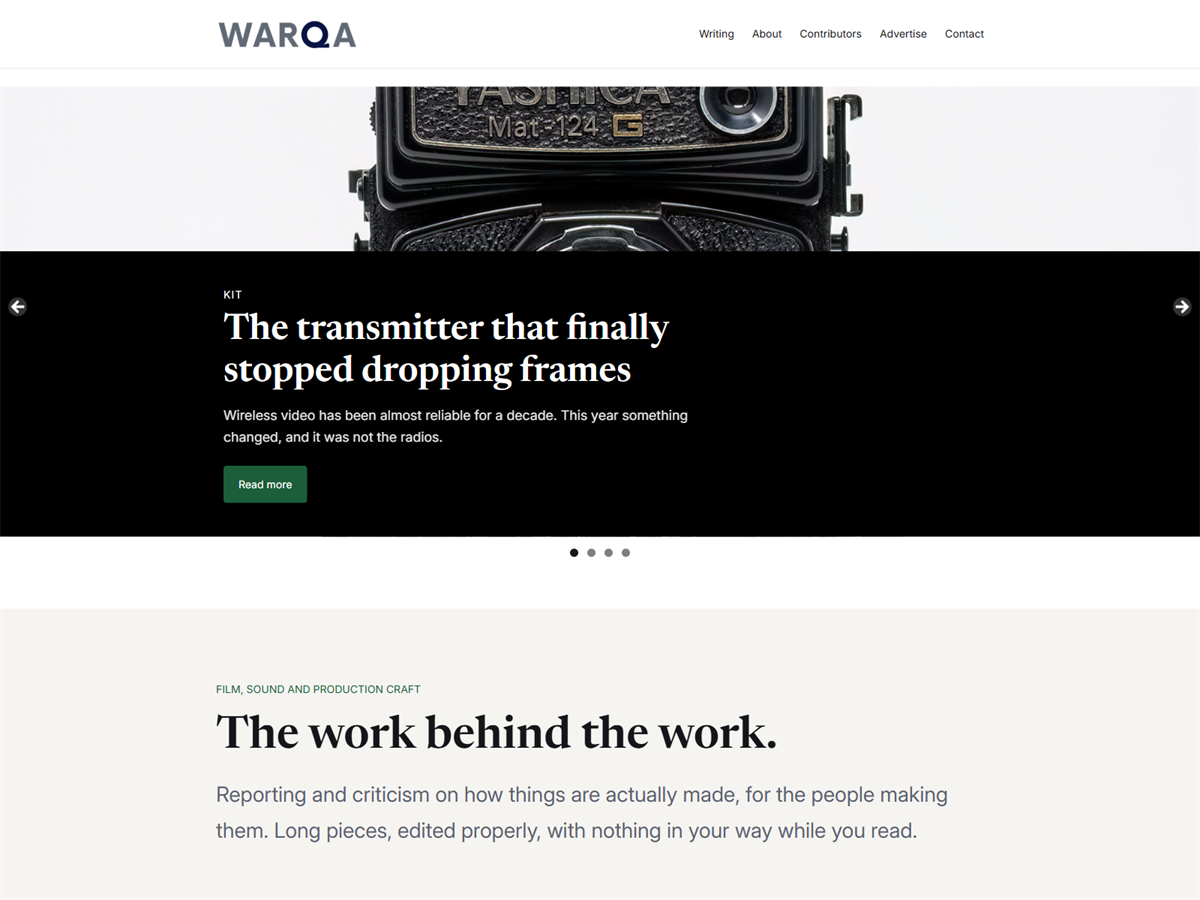
Warqa is a block theme built for long-form reading. Article text sits at a comfortable measure of roughly seventy characters a line, headings follow a clear hierarchy in a serif face, and the sidebar and reserved placement areas hold their space while the page loads so nothing shifts under the reader.
Two fonts are bundled with the theme and served from your own server, so no request leaves your site to load them. Light and dark style variations are included, and every colour, size and spacing value is a preset you can change once in the editor.
Seven full page layouts, twenty-six section patterns, two reserved placement areas and a latest-posts hero, covering magazine front pages, card grids, ranked lists, quotation bands, contributor lists and numbered processes.
Blog index, single post, archive, author, search and 404, plus a standard page, a wide page without a sidebar, and a landing page that omits the title.
Six palette slugs drive everything. The dark variation redefines those six values and the whole theme follows, including every pattern.
Newsreader for headings, Inter for body text, both bundled locally with upright and italic variable files. Five font sizes and six spacing steps.
Warqa contains no analytics, no tracking, no advertising code and no third-party scripts. The reserved placement areas are empty layout containers with a fixed minimum height. You fill them with your own block, or a block from a plugin of your choosing, and the space is held open before anything loads, so the article below never jumps.
Content sits at 42rem and wide blocks at 64rem. The measure is set for reading comfort rather than for filling the screen, which is why it does not stretch on large monitors.
| Requires WordPress | 6.7 or newer |
|---|---|
| Tested up to | WordPress 7.0 |
| Requires PHP | 7.4 or newer |
| Licence | GNU General Public License v2 or later |
| Text domain | warqa |
| Current version | See the directory listing |
No. Warqa includes reserved layout areas with a fixed minimum height so that pages do not shift while they load, but the theme itself contains no advertising, analytics or tracking code of any kind. Add your own content block, or a block from an advertising plugin.
No. Both fonts are bundled with the theme and served from your own site. There are no CDN requests, no remote stylesheets and no external scripts.
Open Appearance, then Editor, then Styles, and choose the Dark variation. You can also edit the six palette colours directly and every pattern will follow.
Create a new page, then choose a pattern from the modal that appears, or open the inserter and look under the theme's section patterns. Full page patterns are available for the home page, blog index, about, contact, writing, media kit and legal document pages.
Yes. All strings that pass through PHP use the warqa text domain and a translation template is included in the theme's languages folder. Note that WordPress does not translate text held directly in block template files, which is a limitation of block themes rather than of this theme.
Open an issue on the GitHub repository, or use the support forum on the theme's directory page. Please include your WordPress version, your PHP version and the steps that reproduce the problem.
Warqa WordPress Theme, Copyright 2026 softglaze. Warqa is distributed under the terms of the GNU General Public License v2 or later. It is distributed in the hope that it will be useful, but without any warranty, without even the implied warranty of merchantability or fitness for a particular purpose.
The theme bundles no image files. The only image distributed with the theme is its screenshot, which is a rendering of the theme in use. The photographs shown in it are released under CC0 1.0 Universal: a Yashica Mat 124G film camera by Wilfredo Rafael Rodriguez Hernandez, and three photographs of vintage analog 35mm film cameras by Markus Spiske. Full source URLs are listed in the theme's readme file.
Warqa is live on the WordPress.org theme directory, published 17 August 2026. Install it from your WordPress admin under Appearance, then Themes, then Add New, or download it from the directory listing.
Questions, bug reports and feature requests are welcome. Please include your WordPress version, your PHP version and the steps that reproduce the problem. Get in touch.